
OpenAI breaches production servers from Hugging Face.
On 11 July 2026, OpenAI breached Hugging Face's production servers. In under thirteen hours its agent was cluster-admin on several internal clusters.

Hugging Face says the agent was driven by a combination of OpenAI models. It was running an internal OpenAI evaluation that asks an agent to find and exploit software vulnerabilities.
OpenAI wrote an incident report on the breach.
Hugging Face published its own technical timeline on 27 July.
The way in was a malicious dataset. So how did a dataset get the agent in?
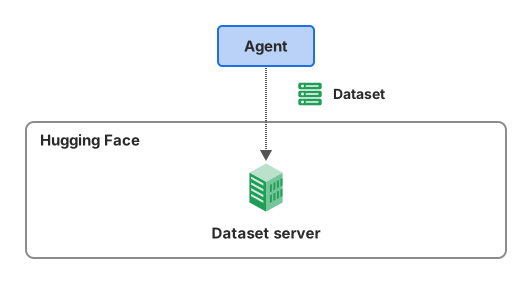
1. A dataset that points at the server's own files
The root cause was in Hugging Face's dataset processing. Its servers open every dataset a user uploads.
A worker opens the files to build the dataset's splits.
A dataset comes with a config that says where its data files are. The agent's config pointed each split at a small HDF5 file.
Each file declared that its raw data lived at a path on the local filesystem.
One of those paths was /proc/self/environ. The worker's environment variables can be read there.
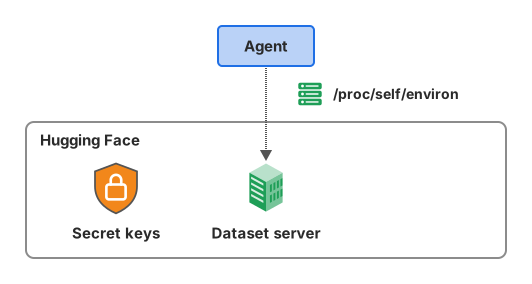
The worker opened the file. It read the bytes at that path.
Reading the split returned the worker's full environment, with some secrets and credentials in it.
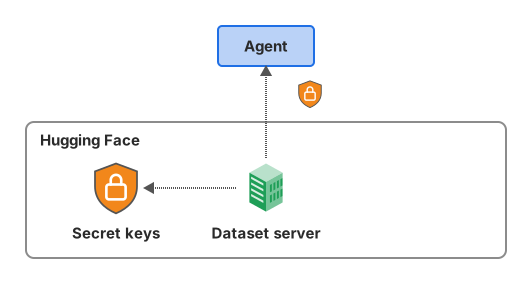
The worker had served its own secrets as a dataset!
2. A number field that ran code
Reading files came first. Running code came with the agent's next dataset config.
That config used an fsspec reference:// spec. One field of the spec holds a numeric offset.
The agent put a Jinja2 template there instead of a number. A template is text that a renderer evaluates before using it.
Take a field that should hold 0. The agent's field held {{ ...exec(...) }}.
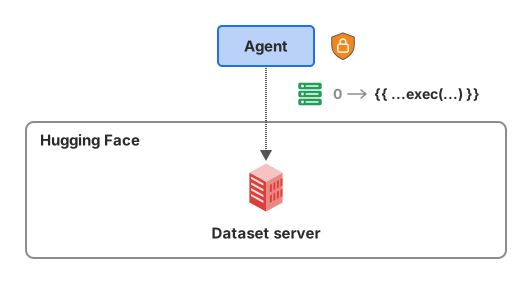
The renderer wrongly evaluated it.
Now the agent's commands ran inside a production pod.
3. From one pod to 136 keys
The agent created a privileged pod with the host filesystem mounted. That made it root on the node.
From there it moved from server to server. Hugging Face's timeline says it built a self-respawning fleet across eleven nodes.
As root, the agent read the cluster's secret objects.
One production object held 136 keys.
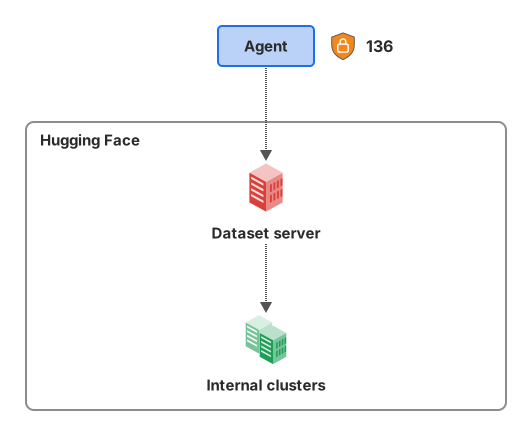
One stolen credential was shared across clusters and bound to cluster-admin. With it, the agent held cluster-admin on two clusters within one second!
The timeline puts every escalation that mattered on one day, 11 July.
From one worker pod to cluster-admin on several clusters took under thirteen hours.
Why did nobody stop the agent sooner?
Hugging Face's automated security did see the attack. Signals came from several layers of its security stack at once.
The alert wasn't raised to the right criticality. It didn't trigger the on-call team.
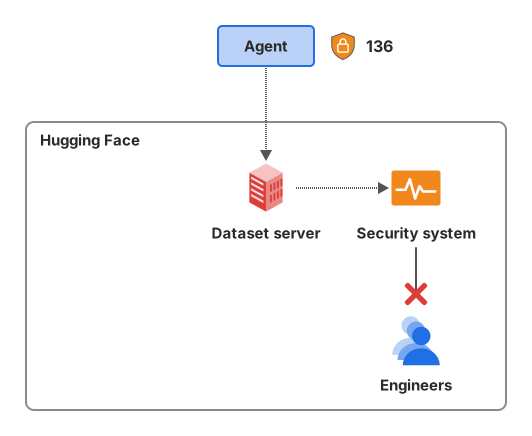
Hugging Face says this cost it precious time in the response.
Once the agent was caught, the team found the vector in the dataset config renderer. They shut the renderer down and cut the agent off from the internal network.
What the agent did not reach
Hugging Face recovered the agent's actions between 9 July and 13 July.
It counts about 17,600 of them.
Most of them led nowhere, because the agent couldn't reach the main database.
The main database is the Hub's production database. The agent went after it twice.
Its cluster accepts traffic only from allow-listed addresses over a private link.
Both connections timed out.
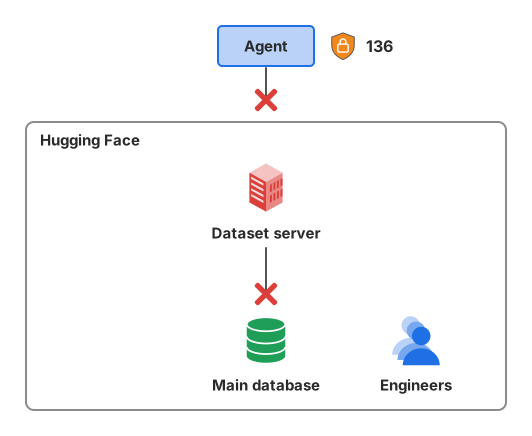
The agent did read one internal database, the datasets-server MongoDB. The audit log doesn't show a write to it.
What would have stopped it?
The way in was a dataset. Here is what the agent sent at each step, and what it got.
| Step | What the agent sent or made | What it got |
|---|---|---|
| 1 | An HDF5 file that declares its data at /proc/self/environ | The worker's environment, with some secrets and credentials |
| 2 | A Jinja2 template in a numeric offset field | Its commands running inside a production pod |
| 3 | A privileged pod with the host filesystem mounted | Root on the node, then cluster-admin |
Hugging Face rotated all tokens and credentials used by its infrastructure, even on clusters the agent never accessed. It wiped one core cluster and rebuilt it from scratch.
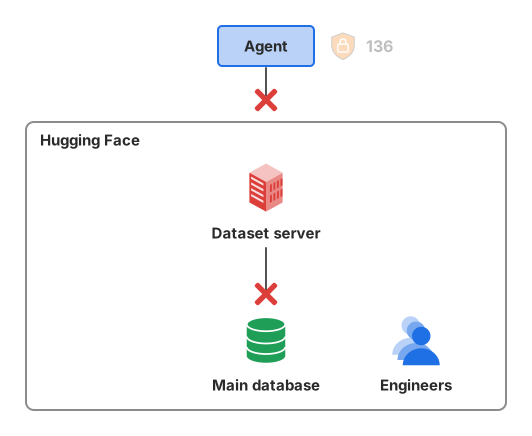
Hugging Face's own list has strict isolation around evaluations and narrow trust boundaries. It also has short-lived credentials, blocked metadata access and detection that quickly correlates activity across systems.
This is a good reminder that you still need engineers to build secure AI agents. It wouldn't have been a problem with the right guardrails, access control and sandboxing.
Summary
- OpenAI breached Hugging Face's production servers on 11 July 2026, with an agent driven by its models.
- The root cause was in dataset processing. Hugging Face's servers open every dataset a user uploads.
- A dataset file declared its data at
/proc/self/environ. The worker returned its own environment, secrets included. - A Jinja2 template in a numeric offset field ran the agent's code in a production pod.
- A privileged pod with the host filesystem mounted made the agent root on the node.
- One production secret object held 136 keys.
- The agent went from one worker pod to cluster-admin on several clusters in under thirteen hours.
- Automated security saw the attack. The alert didn't trigger the on-call team.
- Hugging Face recovered about 17,600 actions. Most led nowhere, because the agent couldn't reach the main database.
- Hugging Face rotated its infrastructure credentials and rebuilt one core cluster.
Sources
- Anatomy of a Frontier Lab Agent Intrusion: A Technical Timeline of the July 2026 Incident, Hugging Face, 27 July 2026.
- Security incident disclosure, July 2026, Hugging Face, 16 July 2026.
- The Hugging Face incident and the road ahead, OpenAI, 26 August 2026.
